


Why
Cozfort
Because carts get abandoned in the imagination gap.
Beautiful furniture is easy to find online, and hard to trust. Cozfort brings the in-store “sizing up” home.
Two people stuck at the same checkout
Both have the piece in the cart. Neither can picture it in the room they actually live in.
“I love the sofa. I can’t tell if it will swallow the living room.”
“I have paid delivery twice on the same table.”
Online buyers struggle with “spatial anxiety.”
You can't judge true scale, lighting, or room fit from a product photo, so the order never gets completed.
Room visualization from the comfort of home.
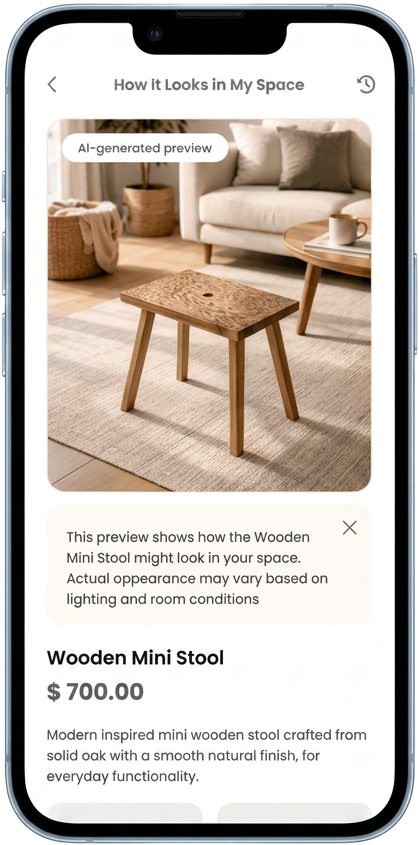
Upload one photo of your space; AI places the piece true to scale, matching lighting and perspective.
Open the Figma file →Three taps from catalogue to render
The product page is the hub, not the catalogue. Everything that removes doubt hangs off the preview, nothing that removes doubt sits behind a menu.
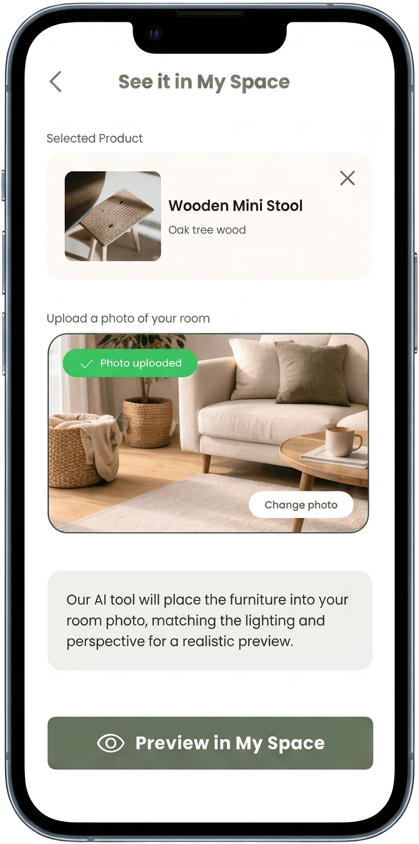
Preview in My Space stays disabled until a photo exists. An empty visualiser is the fastest way to lose someone, so the architecture refuses to open it early.
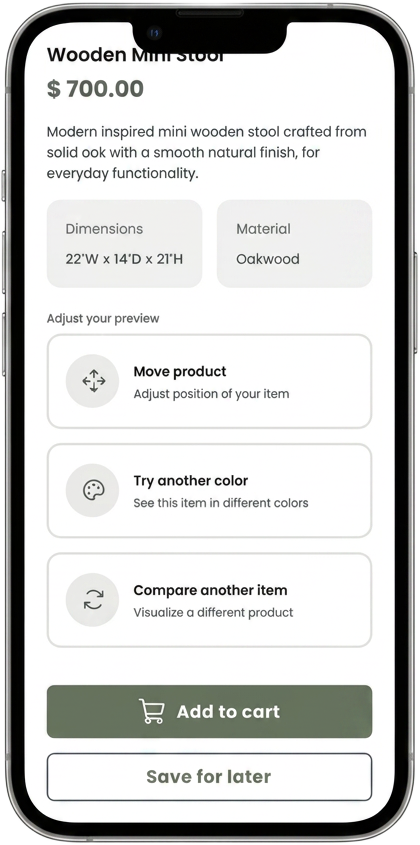
Shoppers walk back and forth between pieces in a store. Adjust, compare and save all sit one tap from the render, so that ritual survives without a single back-navigation.
Photo in, confidence out
Pick a piece, upload your room, and adjust the preview, move it, recolor it, compare another item.
 →
→ →
→ →
→
Three decisions did the heavy lifting
Product front and center
An empty visualizer confuses. The chosen item stays locked on screen, and “Preview in My Space” unlocks only after the photo uploads.
Honesty over perfection
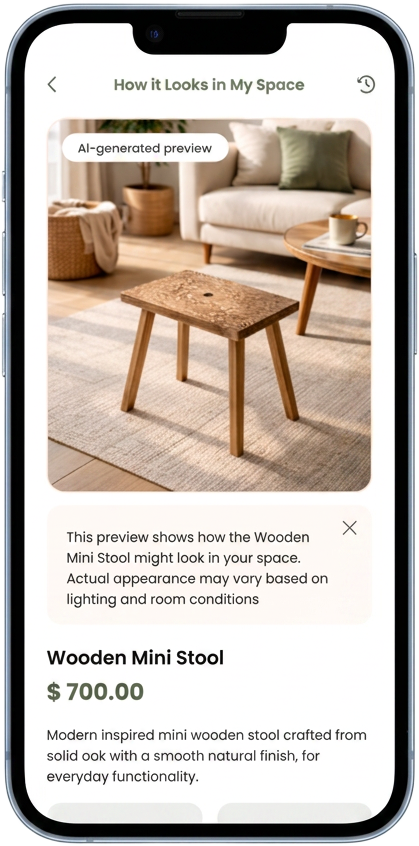
Users distrust “perfect” renders. An AI-preview badge and a lighting disclaimer made them trust the app more, not less.
Compare like in a store
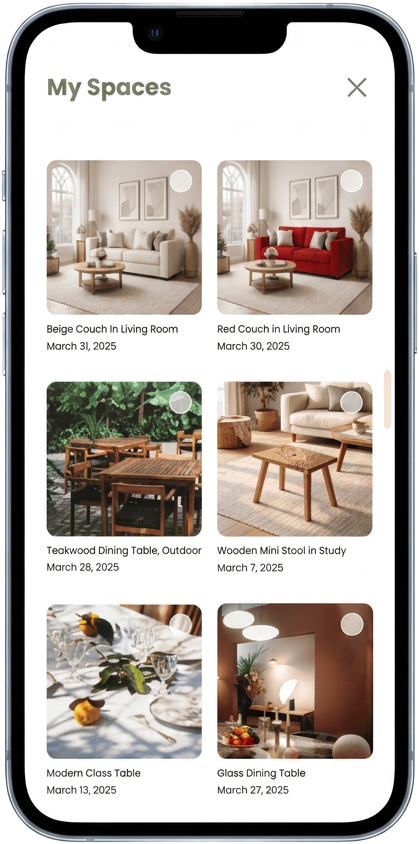
Shoppers walk back and forth between pieces. An “Adjust your preview” suite plus a My Spaces history replicates that ritual.
Not just “Add to cart.”
Move the product, try another color, compare another item, every action that erases post-purchase doubt lives one tap from the render.

The system behind it
Heading font
Honest guardrails (the AI tag, the lighting disclaimer) built more confidence than a flawless render ever could.
Disabling the preview button until upload completes quietly prevents error and steers the user forward.
YOU